Tutorial Introduction
These tutorials are designed to give you a introduction to the tools that the CONVINCE toolbox provides by walking you through using them on a simple example. The example that all the tutorials are based on is a fetch and carry task, where a mobile robot moves in a household environment, picks up an object, and delivers it to a target location.
An introduction to this tutorial can be found on YouTube.
Prerequisites
To follow the tutorials using the provided Docker image, you need to have docker and docker compose installed on your machine.
Please refer to the Docker installation instructions for your operating system.
Running the simulation
To run the simulation, execute in the root of the repository:
docker compose pull
docker compose run base ros2 run tutorial_sim run
You should see a GUI something like this:
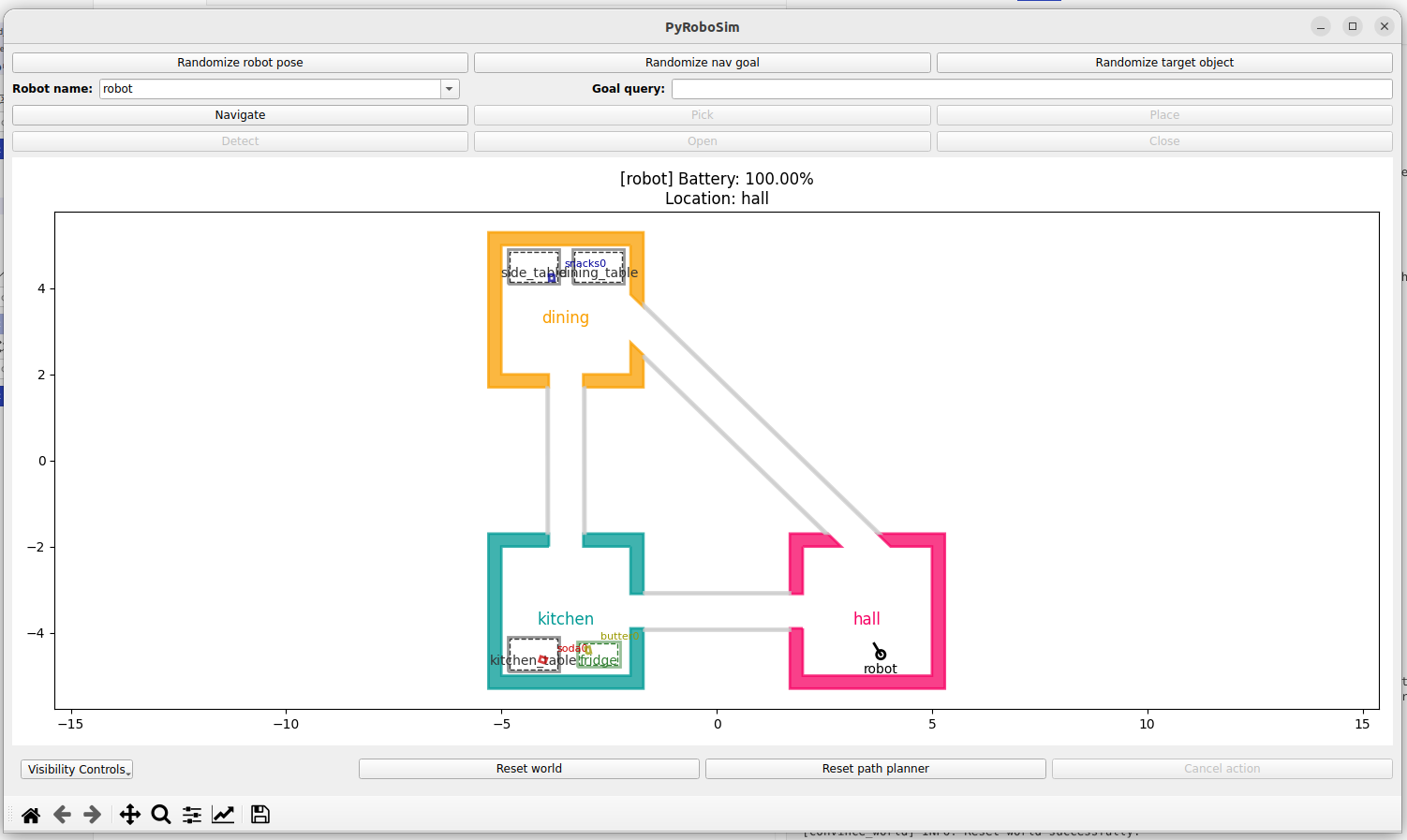
Explore the simulation
In the opened GUI, you can interact with the simulation by triggering actions of the robot. For example
Type
fridgeinto theGoal querybox.Click
Navigate.Click
Open. (Notice that all these may fail with some probability. If nothing changes, just try again.)Click
Detect.Type
butter0into theGoal querybox.Click
Pick.Type
tableinto theGoal querybox.Click
Navigate.Click
Place.Type
kitchen_tablein theGoal query-fieldClick
Navigate
You may close the GUI, as it will be automatically started again in the next step.
Control the simulation by executing a behavior tree
As an example of an autonomous system, the robot can be controlled by executing a behavior tree.
You can find one under tutorials/roaml/policy/bt_tree.xml.
In order to graphically examine this BT, run:
docker compose run base groot -f /convince_ws/src/tutorials/roaml/policy/bt_tree.xml
(You will have to click OK multiple times to get through the warnings about missing plugins.)
To run the simulation again and execute the behavior tree, run:
docker compose run base ros2 launch tutorial_run full_simulation.launch.py policy:=bt_tree.xml
(You may also choose to run the other behavior trees in the same folder, with policy:=bt_tree_locations.xml or policy:=bt_tree_locations_handle_failures.xml.)
Next steps
Now choose one of the tutorials in the left sidebar to get a more detailed introduction to the tools that are used in the CONVINCE toolbox.